01 / Prepare Windows
Check the essentials
Use Windows 10/11 x64 and an installed Edge, Chrome or Firefox browser. Install Microsoft’s Visual C++ x64 runtime. Windows .NET Framework is also required. Do this before going offline.
Meet Tom. A small assistant for your files, ideas and everyday tasks—with its work in view and Gemma 4 running on your computer.
Full: 3.71 GB · Network: 4.15 MB · Version 0.5.2 beta · revision 1
Windows 10/11 · Intel/AMD x64 · No GPU required
Statistics refresh every six hours. Loading the latest snapshot…
Use Windows 10/11 x64 and an installed Edge, Chrome or Firefox browser. Install Microsoft’s Visual C++ x64 runtime. Windows .NET Framework is also required. Do this before going offline.
The full installer includes Tom, its default E2B model, vision support and CPU/Vulkan engines. The small network installer downloads those pinned components from their original vendors. Both install the same Tom.
Choose a folder and what Tom should call you. Tom displays its startup checks and loads the model before enabling chat. Updating? Quit Tom and its tray helper, then choose the existing folder. Do not uninstall first.
The full installer is served as the original EXE. Download the checksums to compare it with a local SHA-256 check.
99877c34a53babde60e04a948cb8ba40980dce40e9a890c3ded271fb08f4a252
Tom-0.5.2-Offline-Setup.exeThis beta does not have a publisher signature. Verify the source and checksum before deciding whether to run it. Follow your organization’s security policy. If startup reports a missing Windows runtime, install the Microsoft prerequisite above and retry. Open the user guide for setup and recovery help.
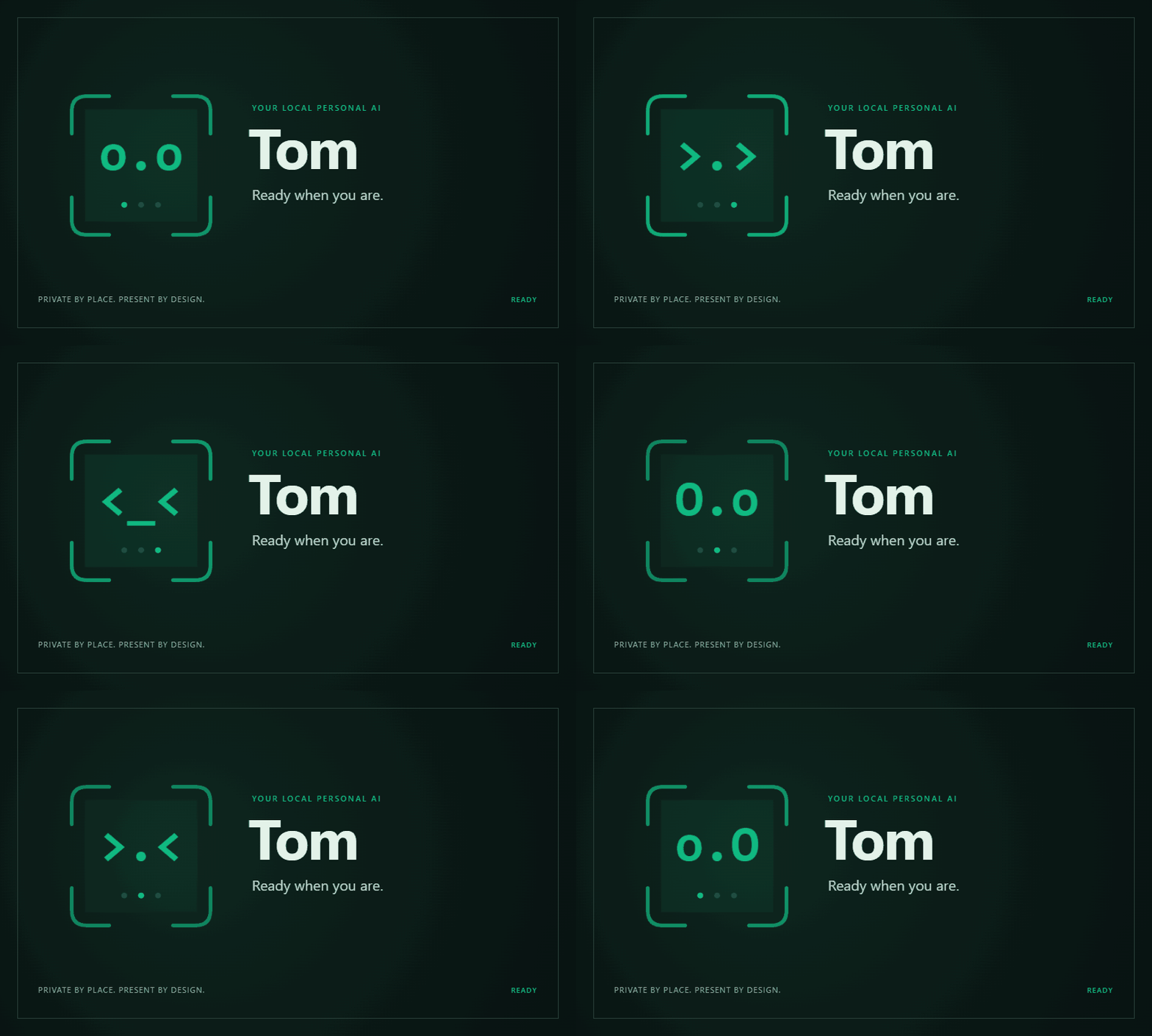
Nine ASCII states show reading, working, waiting and attention. Expand actions to inspect what happened.
The context ring shows usage and compactions. Built-in help explains when details may be lost.
Read and create local files. Open the result directly or show its folder. Your preferred name follows you into the chat.
Start with focused tasks: summarize a file, transform a small table, make a checklist or inspect a simple image. Tom can run programs and work with supported browser pages, with visible actions and review controls.
Browsing, large coding jobs and long tasks remain uneven. Local processing does not make answers automatically correct. Check important work.
Our small release tests completed 5 of 6 focused local tasks correctly. 2 of 5 broader attempted tasks passed. Browsing and a webpage task failed; a simple image check passed.
These were developer-visible tests on one 32 GB Windows PC, not a general reliability score. Read the setup, results and failures →
Tom by OsbornVentures · Apache 2.0 source.
Gemma 4 by Google DeepMind · llama.cpp · Node.js · SQLite · Playwright.
Built with assistance from GPT-6 Astra. Full credits and licenses →
Both counters are running totals. Downloads combine installer editions and releases: hosted full EXEs count after a complete server-side transfer, and GitHub-hosted installers use GitHub’s asset counts. These are not installs or unique people. Separate resumed ranges cannot be matched to a completed download without visitor identifiers and are not added. Clone history stays stored after GitHub’s 14-day reporting window moves on; tracking starts with the history GitHub makes available. Earlier unavailable history cannot be recovered. View the public statistics.
The download counter stores aggregate counts only; it does not store visitor IP addresses, cookies or device identifiers. Cloudflare and GitHub process requests under their own privacy policies. Tom’s model runs locally. Browsing, search, downloads and update checks use the internet; local does not mean every feature is offline.